Custom Code
Returned Letters Data Extractor
A Slack bot that reads returned mineral-rights letters. Drop in a scanned PDF and Google Gemini extracts each addressee's details, replies in the thread, and logs a row to Google Sheets.
Overview
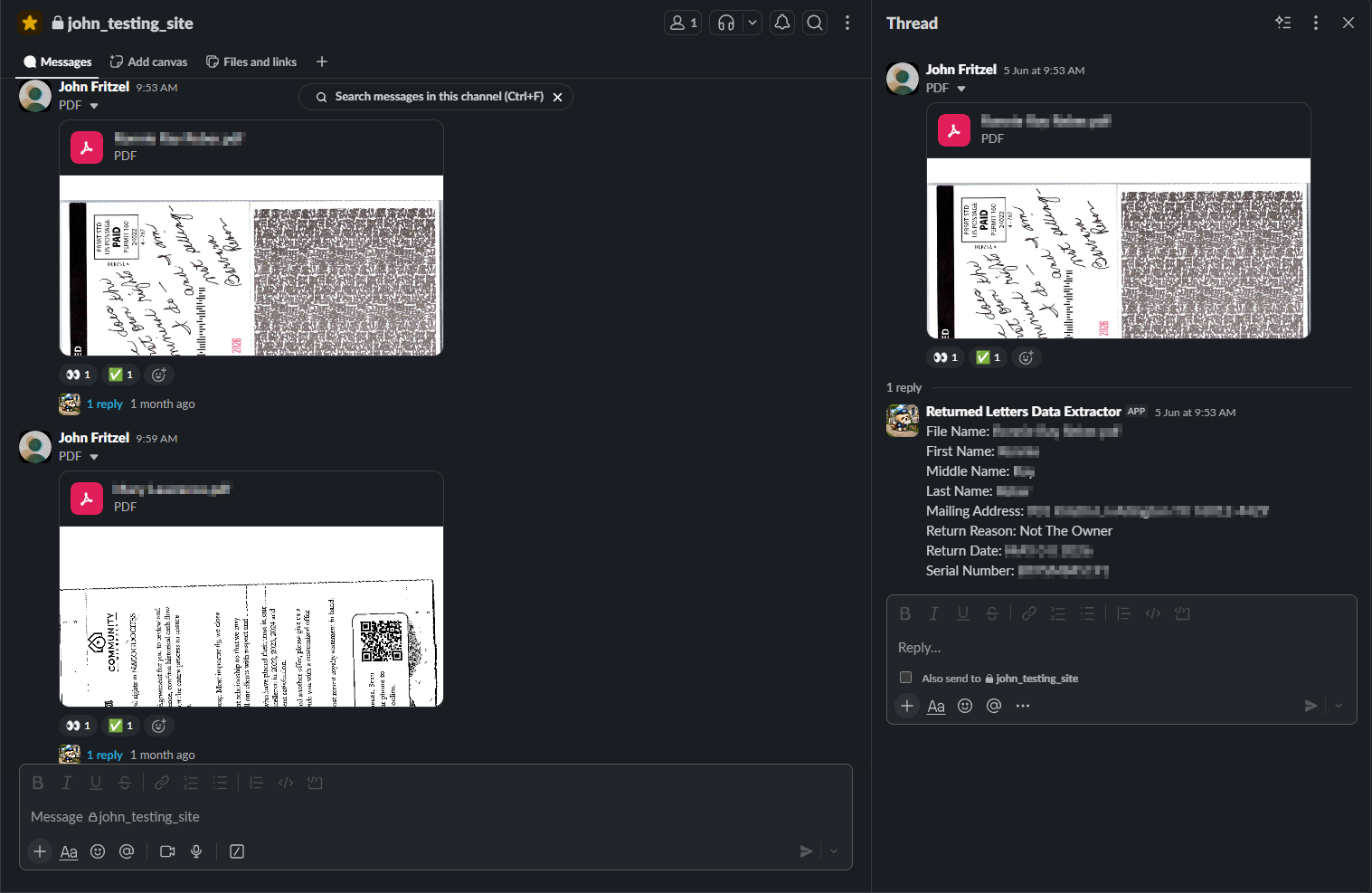
Returned Letters Data Extractor is a Slack bot that reads the mail a land and minerals team gets back. When an outgoing offer letter is undeliverable it comes back as a scanned PDF packet, and someone has to open it, read it, and type the details into a spreadsheet. This tool does that reading for them. Drop the PDF into a Slack channel and within seconds the bot replies in the same thread with the addressee's name, mailing address, the serial number printed on the original offer, why it came back, and the date it was sent, then appends the same row to a Google Sheet.
It runs from a single codebase in two shapes: a headless command-line worker and a small desktop app that lives in the Windows system tray, so a non-technical staff member can run it without ever touching Python.
The Problem
Every returned letter used to be entered by hand. A scanned packet arrives, a staff member opens it, reads through the pages to find the addressee, the serial number, and the reason it bounced (a postal NIXIE sticker, a handwritten "Deceased" on the envelope, a note that the rights were transferred), and then types each field into the spreadsheet. Repeat, letter after letter, week after week. It is slow, it is dull, and it is easy to miskey an address or miss a second name buried in a two-owner packet.
The team wanted the reading and the typing to happen on its own, while a person stays in the loop to glance at the result and catch anything odd.
How It Works
The bot connects to Slack over Socket Mode, so it runs on a laptop or in the tray with no public URL and no hosting cost.
It watches the channel. When a PDF is uploaded, the bot adds an 👀 reaction to acknowledge it and downloads the file.
It reads the packet. The PDF is sent to Google Gemini 2.5 Flash, which returns
one structured record per addressee: serial number, first, middle, and last name,
full mailing address, the return reason, and the send date. A single packet
addressed to two owners produces two records. Missing fields come back as not found rather than a guess.
It replies and logs. The bot posts a tidy reply in the same message thread, one per addressee, and appends a matching row to the Google Sheet record. A successful run gets a ✅ reaction; a failure gets a ❌ with a short error note in the thread. If a message has several PDFs attached, the parent reaction only turns green once every one of them has finished.
It is resilient. If Gemini returns a transient error, the bot keeps the 👀 reaction and retries a few times, spaced minutes apart, before giving up, so a brief outage does not drop a letter on the floor.

The Desktop App
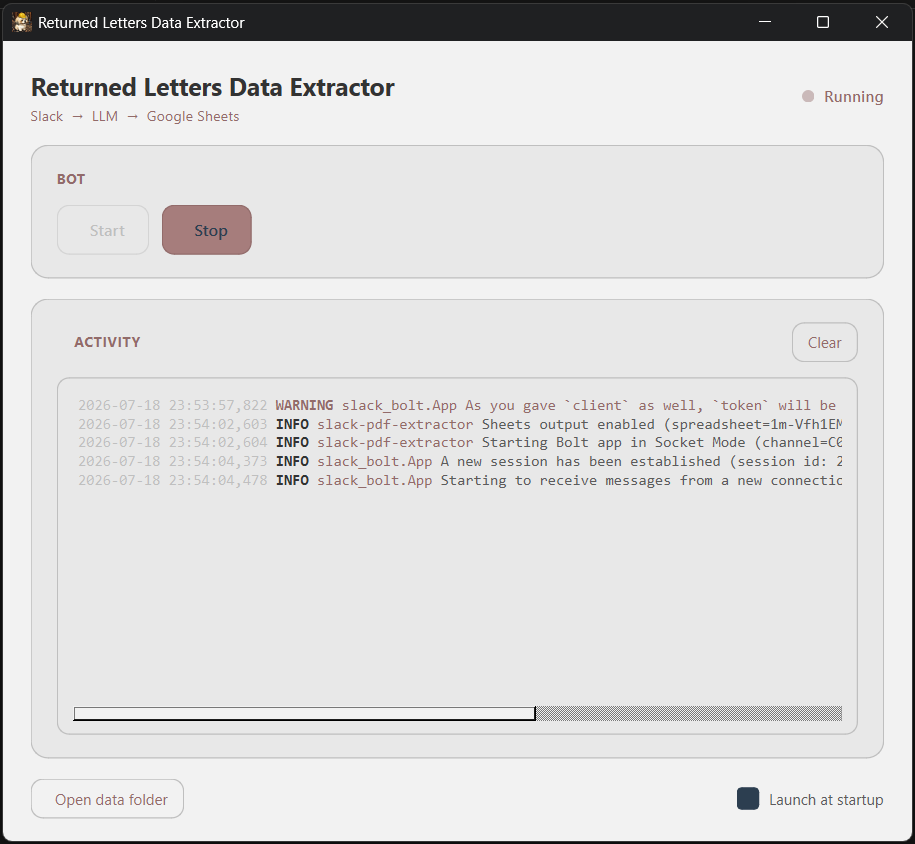
The same code ships as a tray-resident Windows app for staff who should not have to open a terminal. A tray icon starts the bot automatically and stays out of the way; double-clicking it opens a small dashboard with a live log and Start and Stop controls. A single toggle adds or removes the app from Windows startup, no admin rights required. It is packaged into a standalone executable with an installer, so installing it is a normal double-click.
Tech Stack
- Python as the core, with the Slack Bolt SDK running over Socket Mode so no public webhook is needed.
- Google Gemini 2.5 Flash for reading the scanned PDFs, with a Pydantic schema binding the model's output to the exact fields the team needs.
- A tray-resident desktop app with the bot running on a background thread so the dashboard stays responsive.
- Google Sheets for the append-only record of every extraction.
- Packaged as a standalone Windows executable with a PyInstaller build and an Inno Setup per-user installer.
- The extractor sits behind a small interface, so swapping Gemini for another model provider is a single new file rather than a rewrite.