n8n
SupportRAG
An AI customer-support email agent on n8n that drafts a policy-grounded reply to every email, then waits for human approval on Telegram before anything is sent.
Overview
SupportRAG is an AI assistant for customer-support email, built end to end in n8n. It reads every message that arrives, understands what the customer needs, writes a helpful reply grounded in the company's own policy documents, and waits for a person to tap Approve before anything is sent. Angry or urgent emails skip the queue and alert the team instantly.
The design goal is a support teammate that drafts every reply in seconds, never invents answers, and always asks before hitting send.
The Problem
Support teams spend hours every day answering the same handful of questions: warranty length, order status, how to get a refund. Meanwhile, a genuinely upset customer can sit unnoticed in the same crowded inbox. SupportRAG removes the repetitive drafting work and makes sure the messages that need a human get one immediately.
How It Works
The system is six coordinated n8n workflows. An inbox-triage workflow acts as the orchestrator and calls the others as sub-workflows.
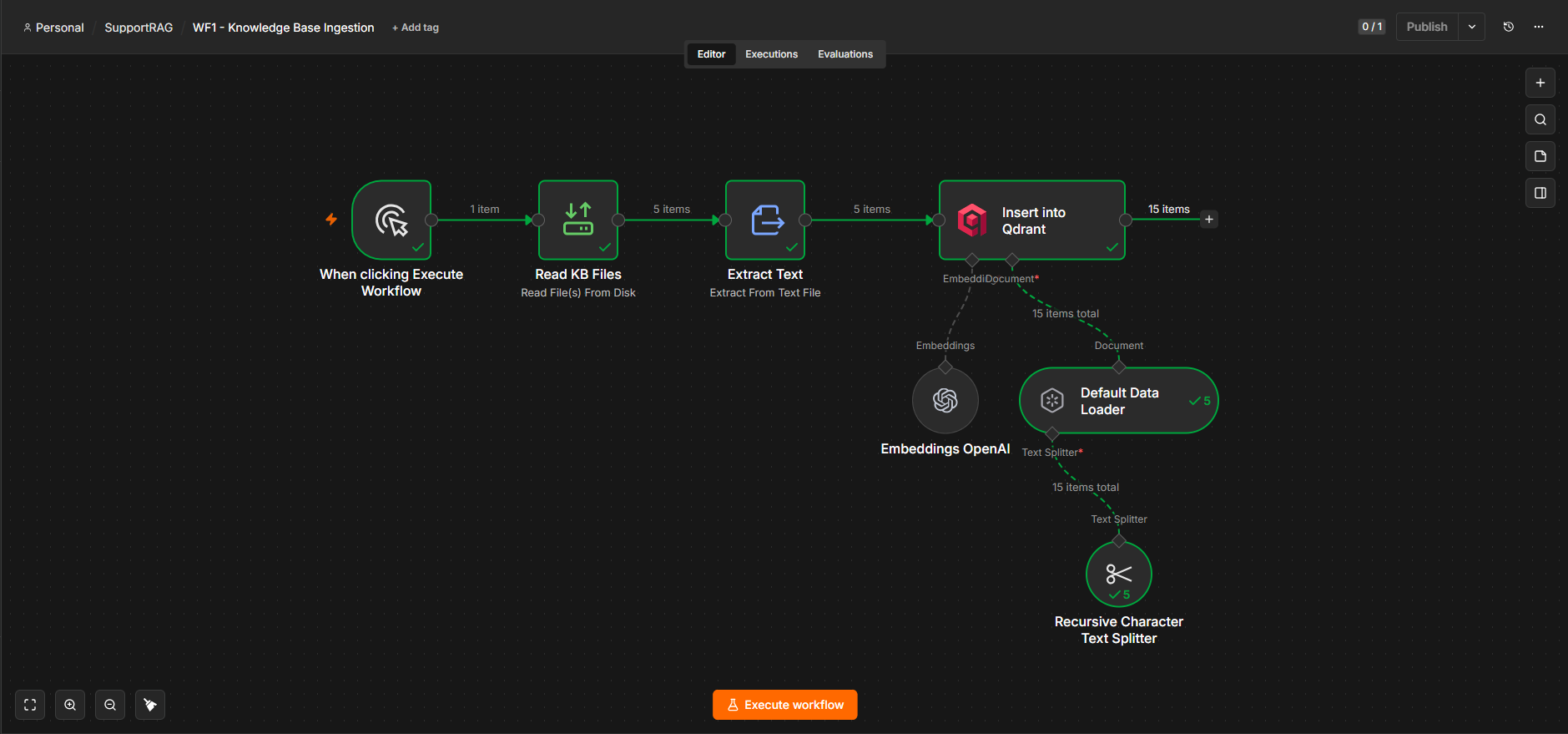
Knowledge ingestion chunks the company's help documents, embeds them with OpenAI, and stores the vectors in a Qdrant collection, the retrieval layer the drafter reads from.
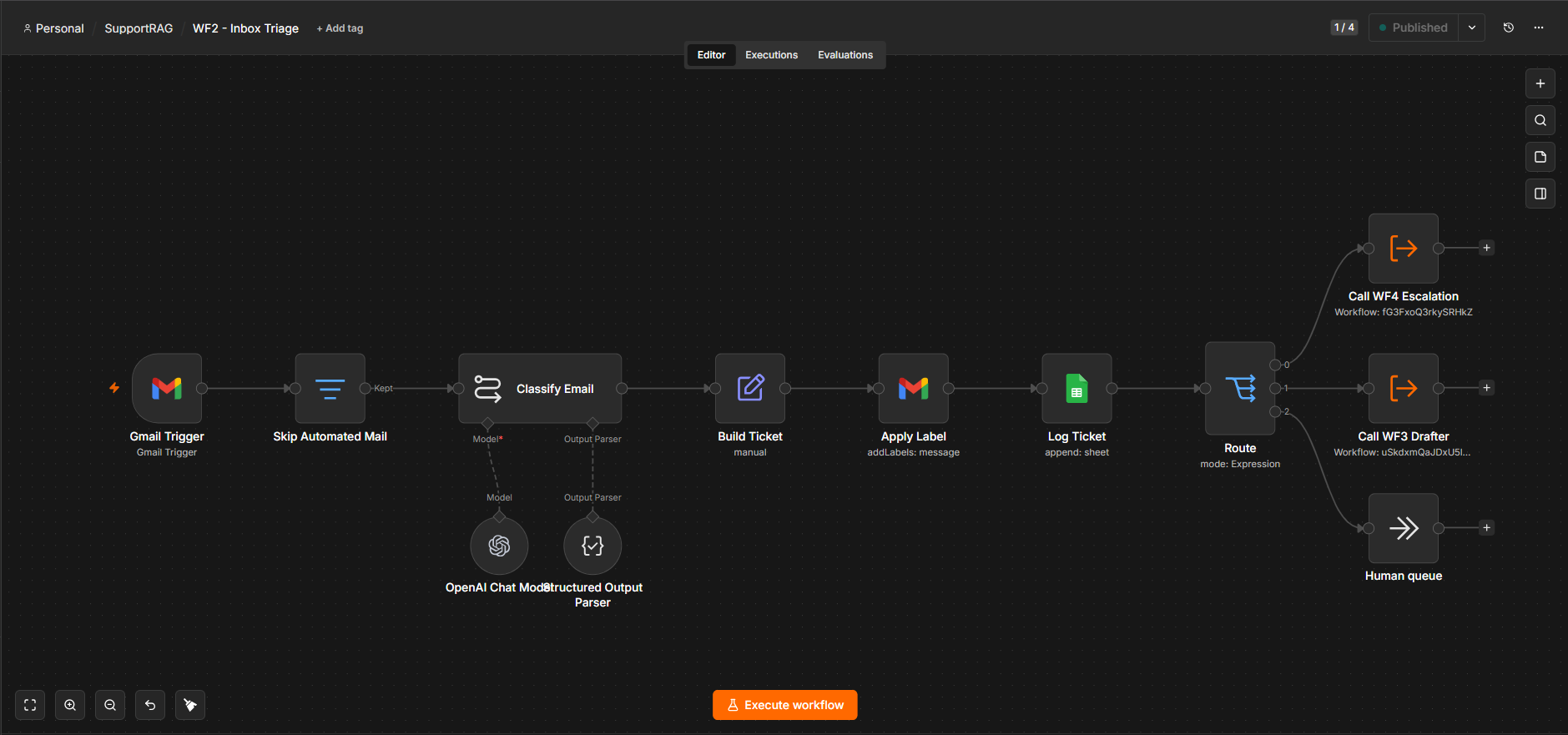
Inbox triage & routing is triggered on each new email. It classifies the message (topic, sentiment, urgency), logs it, and routes it one of three ways: straight to escalation for anything urgent or a complaint, to the RAG drafter for answerable questions, or to a human queue when it's unsure.
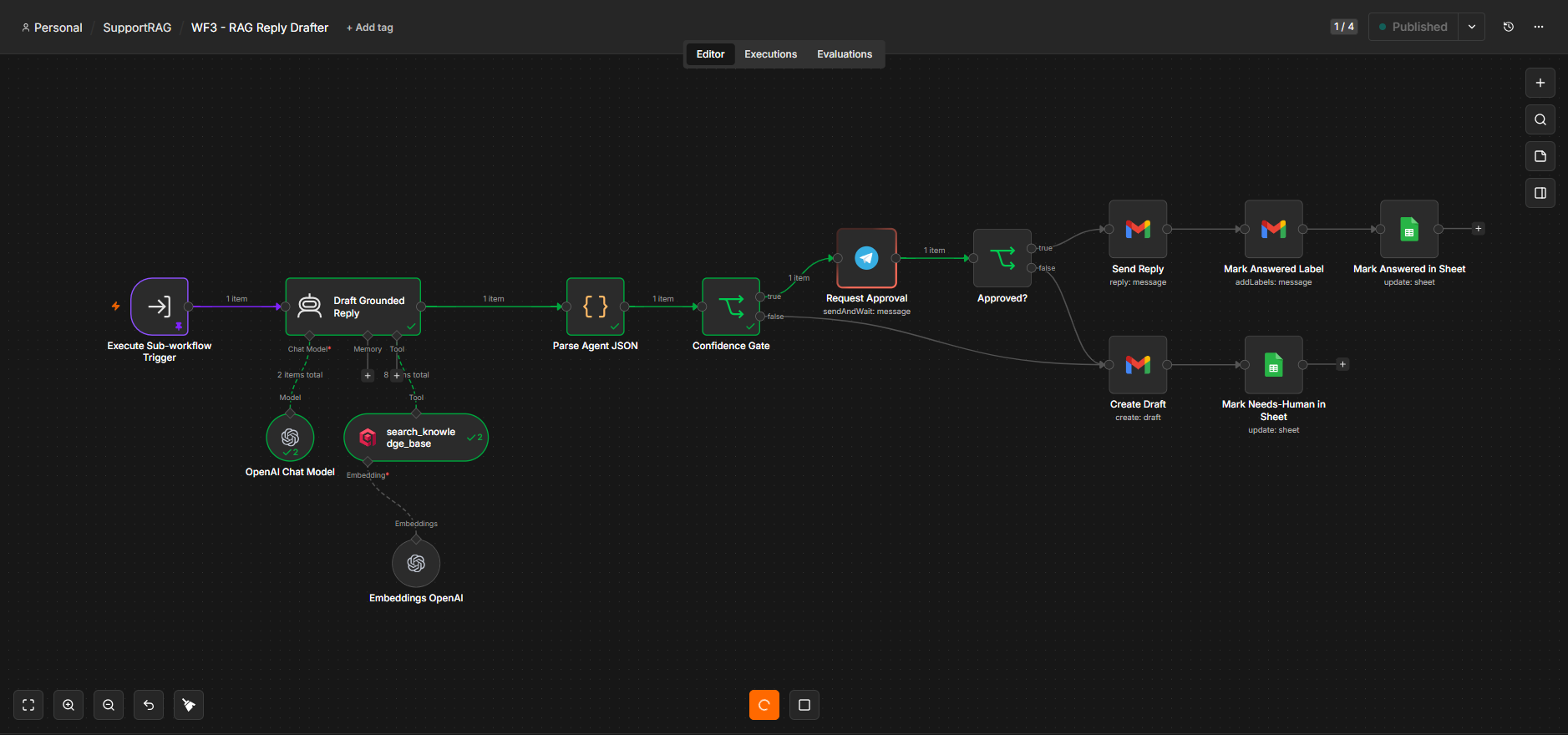
The RAG reply drafter (shown above) is the showpiece. A retrieval-augmented agent searches the knowledge base, drafts a grounded reply that cites the sources it used, and passes a confidence gate. Confident drafts are sent to Telegram with Approve / Reject buttons; only on approval does the reply go out. Low-confidence cases are saved as a Gmail draft for a human instead of guessing.
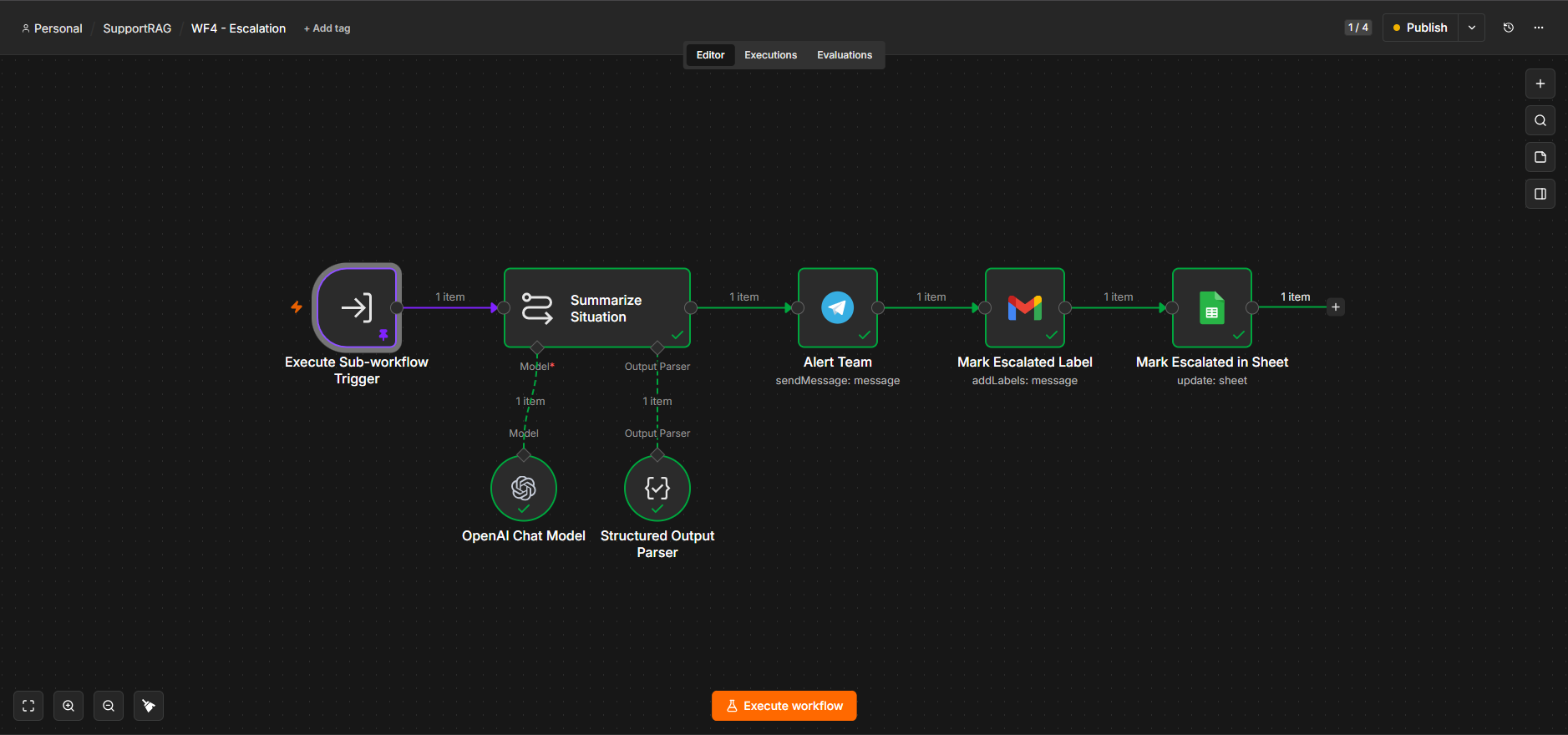
Escalation handles the urgent path: it summarizes the situation with an LLM and posts an immediate Telegram alert to the team with a suggested next step.
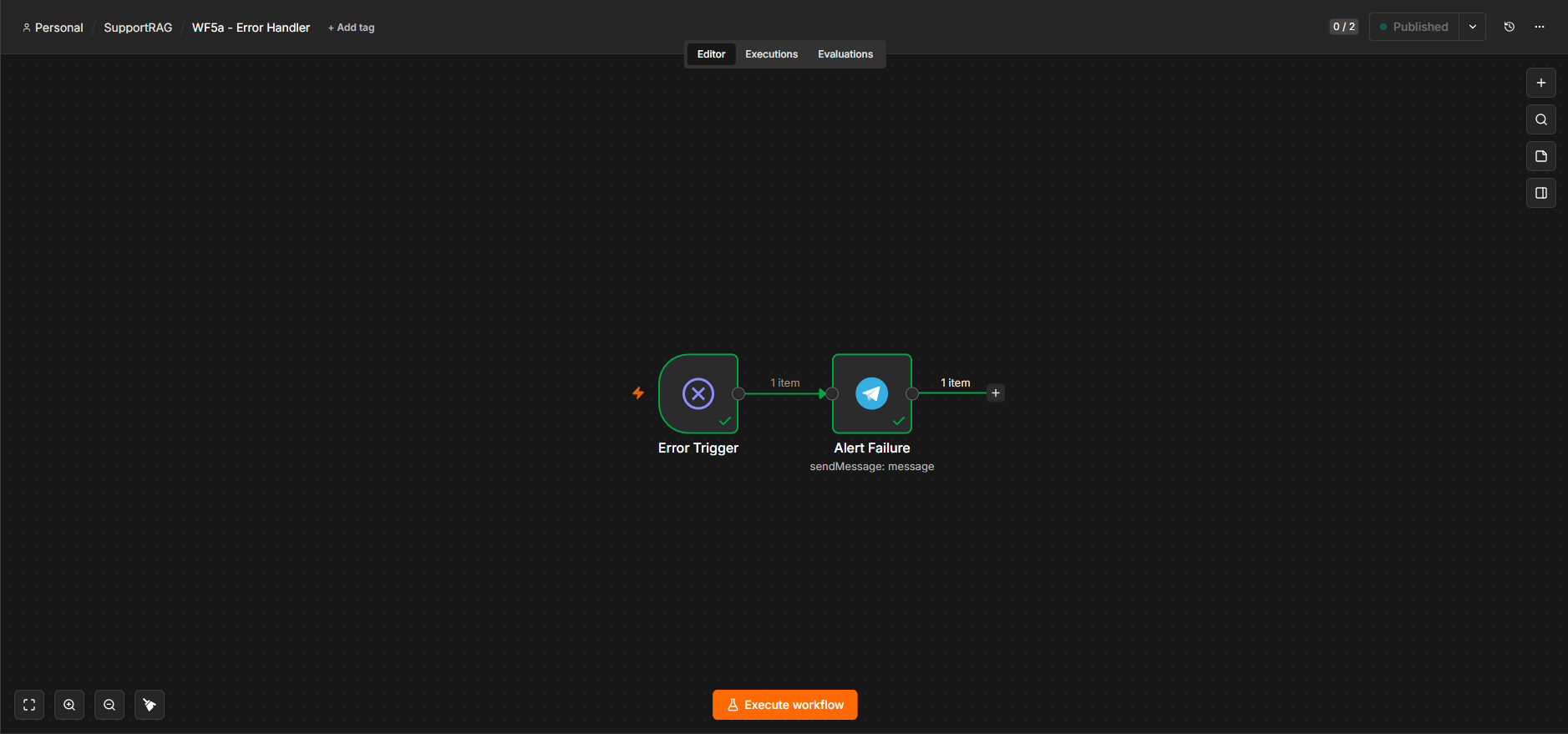
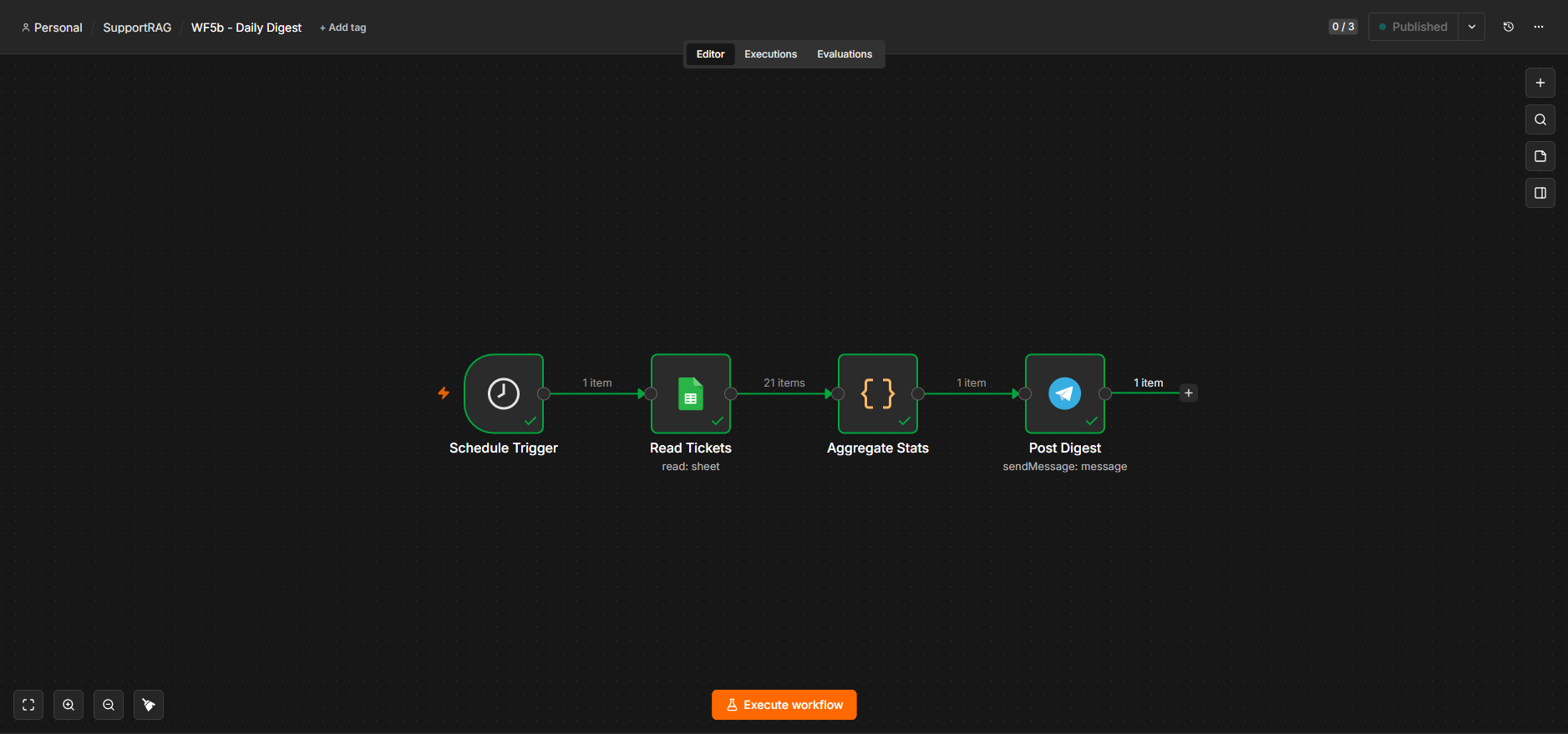
Two supporting workflows round it out: an error handler that posts a Telegram alert if any workflow fails, and a scheduled daily digest that aggregates the day's ticket stats from Google Sheets and posts a summary.
Guardrails
- It won't make things up. Answers come only from the provided documents; if the answer isn't there, it says so and hands off to a person.
- A human is always in control. No reply is ever sent automatically; someone approves each one.
- Everything is logged. Every email, decision, and reply is recorded in Google Sheets for a full audit trail.
Tech Stack
- n8n: the automation engine orchestrating all six workflows.
- OpenAI (
gpt-4o-mini): classification, summarization, and grounded reply drafting, plus embeddings for retrieval. - Qdrant: vector database powering the RAG knowledge base.
- LangChain nodes (in n8n): the retrieval agent, LLM chains, and structured output parsing.
- Gmail, Google Sheets, Telegram: inbox and sending, logging, and the human-in-the-loop approval / alert layer.
- Docker Compose: runs n8n, Qdrant, and a Cloudflare tunnel together, so the public webhook needed for Telegram approvals works out of the box.